Capabilities
Boot & firmware
Measured boot + TOTPabsent
Heads measures the firmware at boot and proves its integrity via a TOTP code. Requires flashed Heads with the TPM bound — done at the workshop.
SourceOpen firmware (Coreboot)absent
The boot firmware is Coreboot — open-source and auditable — instead of the vendor BIOS.
SourceNo Intel MEabsent
No active Intel Management Engine. On AMD there is no Intel ME (but the proprietary AMD PSP remains). Neutralization is never total.
SourceSecure elementstock (upstream)
dTPM 2.0
Dedicated chip that stores keys and throttles PIN attempts (Titan M2 on Pixel, dTPM on some ThinkPads).
SourceGuaranteed updatesabsent
Security-update window documented by the manufacturer. Shown only when it is guaranteed.
SourceSystem & data
Encrypted at restonsecret workshop
LUKS
Data is encrypted while the device is locked (FBE on phones, LUKS applied at the workshop on laptops).
SourceCompartmentalization (Qubes)stock (upstream)
Qubes
Qubes OS isolates your activities in walled VMs — a compromise does not spread to the rest.
− HCL 21HMCTO1WW verified.
SourceAmnesic (Tails)option
Tails
Tails leaves no trace: everything runs in RAM and vanishes at shutdown, save an optional persistent volume.
SourceWorkshop & support
Installed, verified at the workshoponsecret workshop
We flash, verify integrity and re-lock every unit. For USB keys we provide the signature-verification procedure — don't take our word for it.
− OS only — stock firmware kept.
Tamper-evident seal appliedabsent
A tamper-evident seal is applied at the workshop: opening it leaves a visible mark.
● stock (upstream)◆ onsecret workshop○ option— absent
What this does not protect against
- Firmware stays proprietary: no Coreboot, no Heads, no measured/attested boot ROM. The Intel Management Engine cannot be neutralised (no me_cleaner support on Raptor Lake). Firmware-level trust is Lenovo's, not yours.
- No protection against device theft or coercion: full-disk encryption (LUKS) defends data at rest only. Once unlocked, or if you are compelled to unlock it, the data is exposed. This is not an anti-forensics or plausible-deniability device.
- No protection against physical/hardware extraction: an attacker with the powered-off, locked device can attempt DMA, chip-off, or evil-maid firmware attacks. Without measured boot you cannot reliably detect a tampered UEFI.
- Qubes suspend (S3 sleep) does not work on this model — it uses modern standby (s2idle) only, so a 'suspended' machine still holds keys in RAM. Power off fully when leaving it unattended.
- Does not anonymise you on the network: Qubes isolates workloads but your IP, traffic patterns, and account logins still identify you unless you route through Tor (e.g. Whonix qubes) and practise operational discipline.
- The 4G WWAN modem (where fitted) is not functional under Qubes OS and, like any cellular baseband, is an opaque processor outside your control.
What the workshop does to this device
Our pipeline
- Coreboot/Heads flash depending on the model (X1C G8: measured boot + TOTP; X1C G11: stock firmware kept — this generation is unsupported, we won't tell you otherwise).
- Chosen OS install (Qubes, Tails, Debian) + LUKS encryption.
- Tamper-evident seal applied, where claimed.
- Integrity check and unit sheet handed over.
What you can ask us
- Questions and advice: Signal / PGP / anonymous ticket (see /support).
- Help re-flashing or changing the OS.
- Verification: we show you how to check our work.
What we do not do
- No RustDesk-style remote support on laptops: the managed stack only covers Android phones.
- No vendor-firmware update guarantee.
- On the X1C G11 we do not claim to neutralize Intel ME or set up measured boot — the hardware does not allow it.
Choose within the range
| ThinkPad X1 Carbon Gen 8 — hardened« Maximum firmware trust »€665 Monero€950 card | ThinkPad T14 Gen 3 AMD — hardened« No Intel ME »€1,015 Monero€1,450 card | ThinkPad X1 Carbon Gen 11 — hardenedHERE« Recent hardware »€1,463 Monero€2,090 card | |
|---|---|---|---|
| Differences | |||
| Measured boot + TOTP | Heads + TOTP | ||
| Open firmware (Coreboot) | Coreboot | if supported*perConfig | |
| No Intel ME | AMD | ||
| Secure element | TPM | dTPM 2.0 | |
| Compartmentalization (Qubes) | Qubes | Qubes | Qubes |
| Tamper-evident seal applied |
More expensive does not mean safer: the recent model keeps its vendor firmware where the older one offers measured boot.
Top threat = evil-maid / firmware → X1C G8. Refusing Intel ME and needing performance → T14. Recent hardware with Qubes compartmentalization as your defence → X1C G11.
What it is
What this machine is
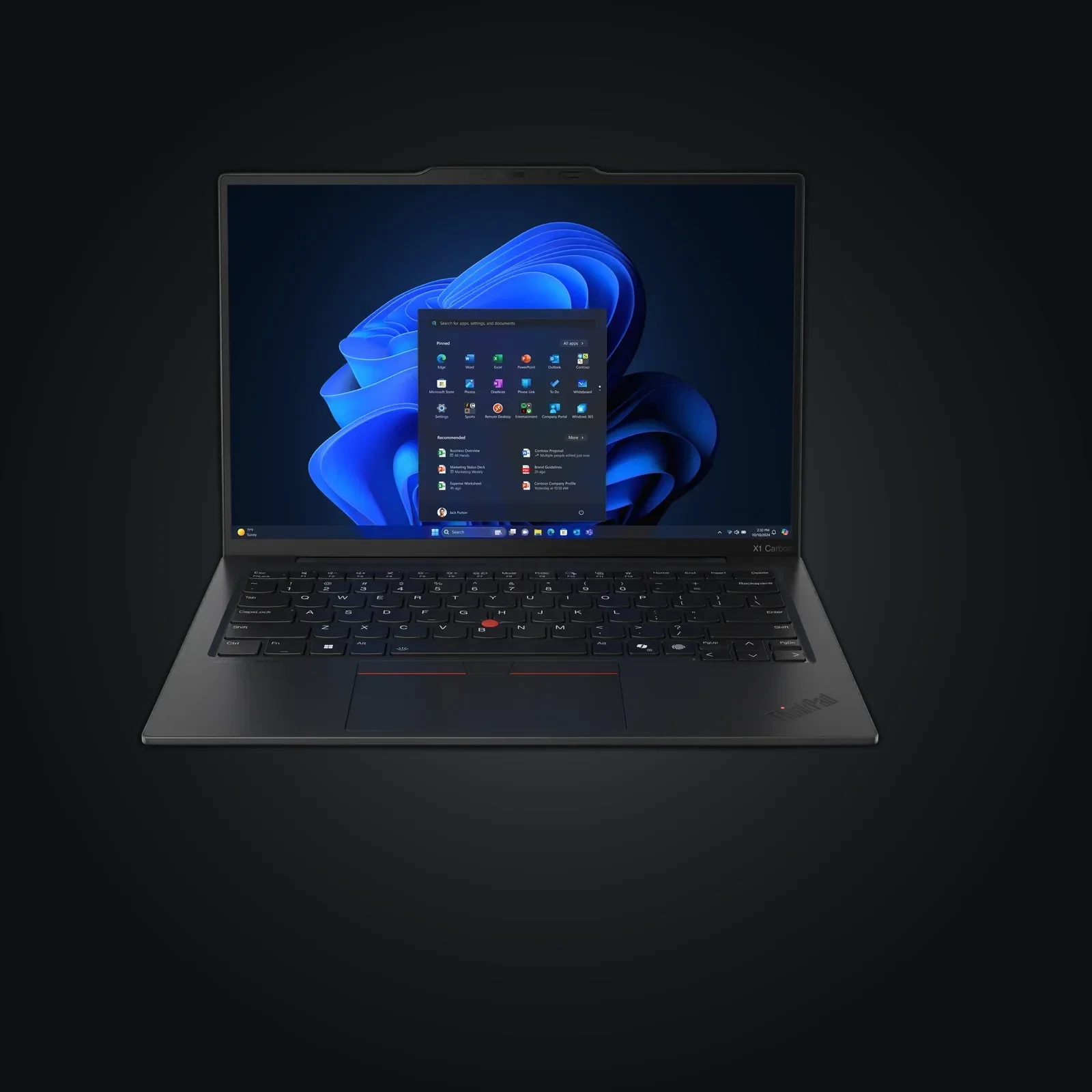
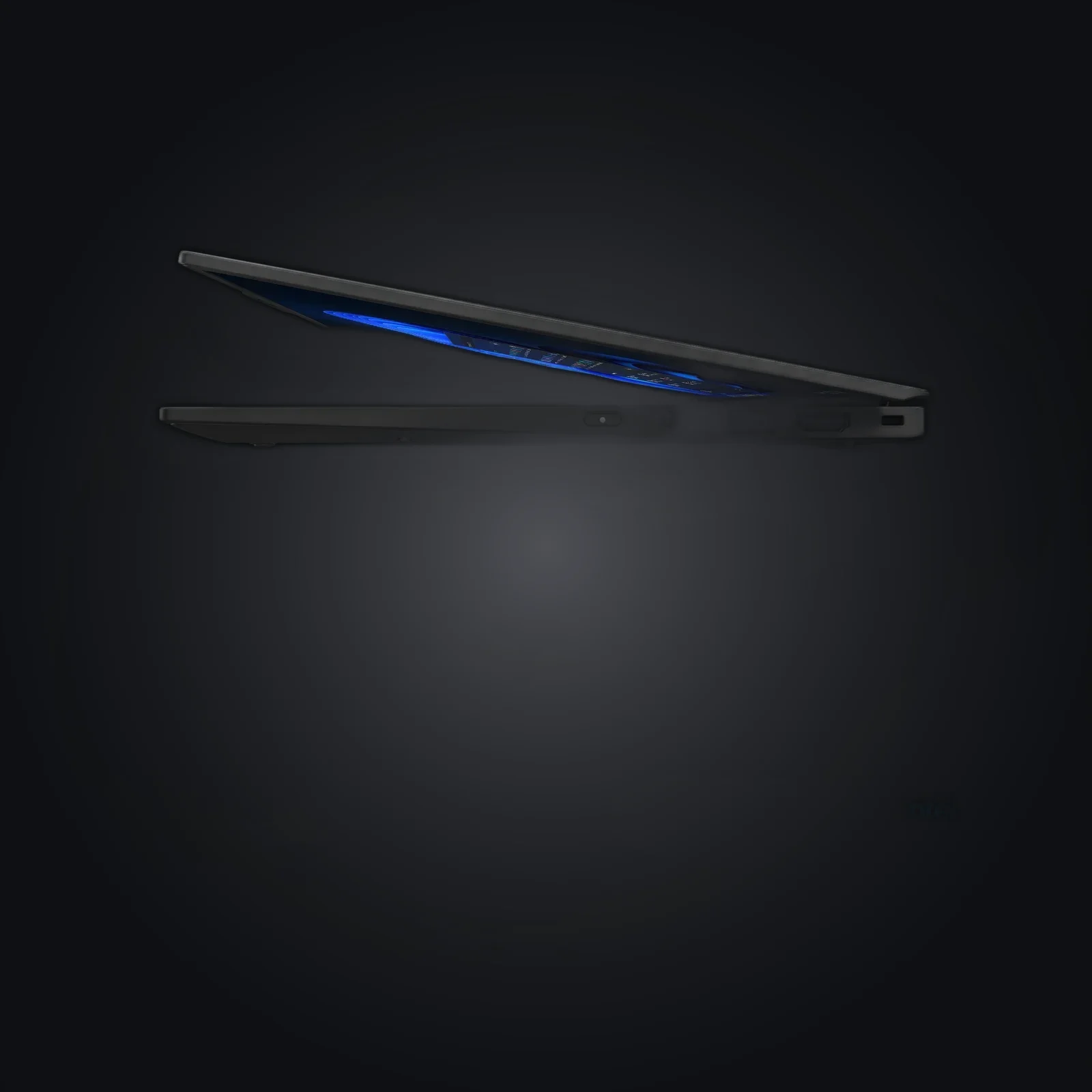
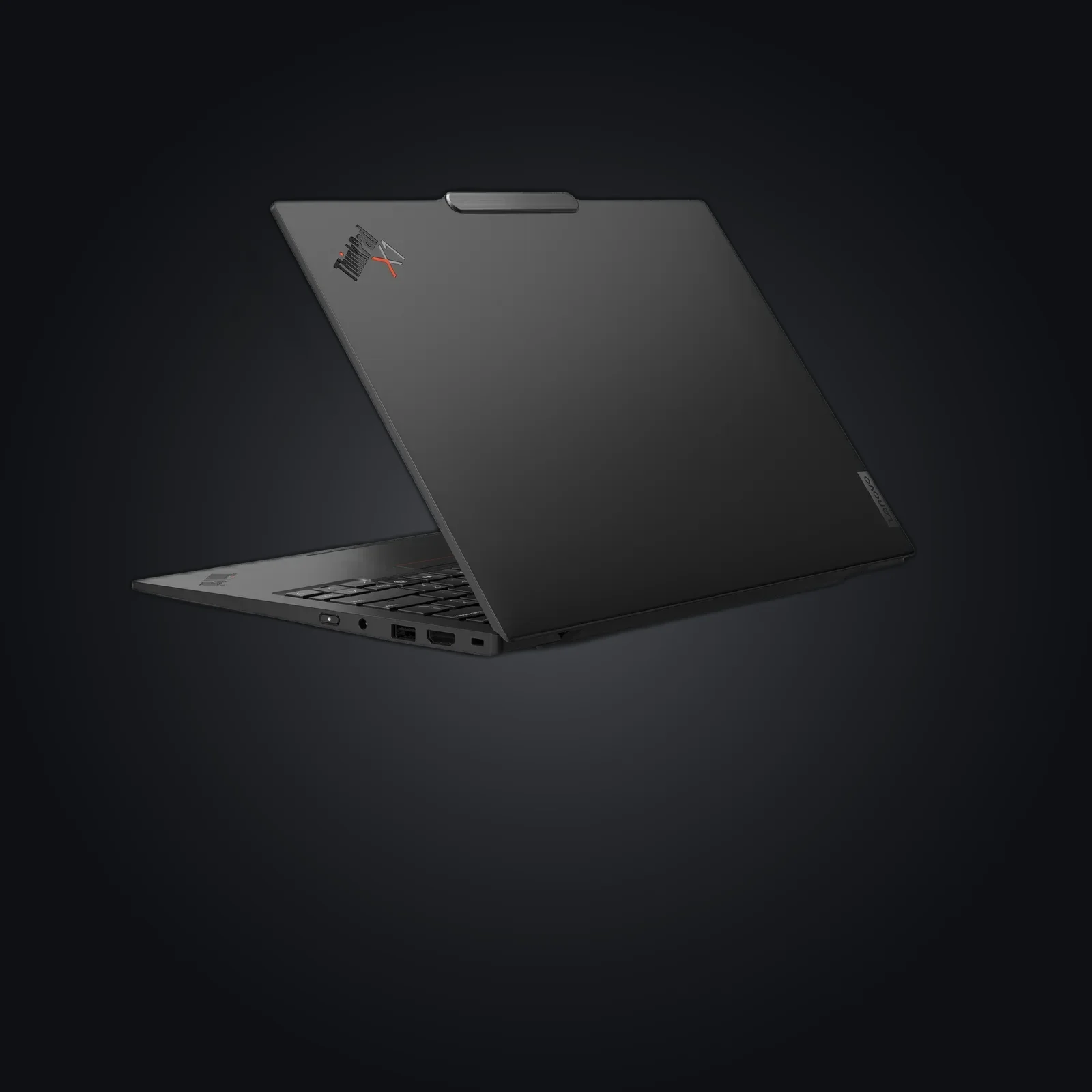
A Lenovo ThinkPad X1 Carbon Gen 11 — modern, thin, 13th-gen Intel — configured as a daily-driver compartmentalisation workstation. The hardware clears every requirement Qubes OS asks for: VT-x with EPT, VT-d (IOMMU), SLAT, HVM and a discrete TPM 2.0 are all present and confirmed working in community HCL reports for the `21HMCTO1WW` board. Intel integrated graphics (no discrete GPU) is exactly what Qubes recommends.
The value here is software isolation, not firmware liberation. You get a well-supported, widely-available laptop where Xen-based domain separation runs cleanly, paired with a fixed 1 TB NVMe so disk space is rarely the constraint when you run a dozen qubes.
What it deliberately is not
This is not a Coreboot or Heads machine. Coreboot's most recent ThinkPad targets are the T480/T480s; Raptor Lake (2023) is far newer than anything the project supports, and there is no me_cleaner path for the Management Engine on this silicon. If your threat model centres on owner-controlled, measured, attested firmware and a neutered ME, this generation cannot give you that — look at an older Coreboot/Heads-supported ThinkPad instead.
Honest positioning
Choose the X1 Carbon Gen 11 if you want a fast, light, currently-purchasable laptop for Qubes-style isolation and accept that the boot firmware remains Lenovo's. The defensible claims are: strong OS-level compartmentalisation, hardware that meets Qubes requirements, and physical privacy touches (ThinkShutter, MoC fingerprint). The honest caveats are the entire LIMITS section — read it before buying.
Usage guide
Before you buy: match the threat model
This laptop is for OS-level compartmentalisation with Qubes OS. It is not a firmware-freedom device. If you need owner-controlled boot firmware (Coreboot) and a tamper-evident boot chain (Heads), this generation does not support either — buy an older Coreboot-supported ThinkPad instead. Confirm your unit's board (e.g. `21HMCTO1WW`) against the community HCL report.
Initial setup
- Update Lenovo UEFI first, while still on the factory OS or via a bootable updater — this is the only firmware path you have on this machine.
- Set a UEFI supervisor password and a separate power-on password. This is your first line against casual config tampering; it is not evil-maid-proof.
- Disable what you do not use in UEFI: WWAN, Bluetooth at boot if unneeded, and the camera/mic if your workflow allows.
- Install Qubes OS 4.2 or later. Earlier 4.1 installs had display-lag and Wi-Fi issues on this board that 4.2 resolves. Verify the ISO with the Qubes signing key before flashing — do not skip this.
- During install, enable full-disk encryption (LUKS) with a strong passphrase. The 1 TB NVMe gives you room for many qubes.
Daily use
- Compartmentalise by purpose: separate qubes for work, personal, banking, and an offline `vault` qube holding your password store and GPG keys with no network.
- Route anonymity-sensitive work through [Whonix](https://www.whonix.org/) qubes (Tor by default). Qubes isolates; it does not anonymise on its own.
- Use disposable qubes for opening attachments, links, and untrusted documents.
- Power off fully when leaving the machine — do not rely on suspend (see pitfalls).
Hardening
- Keep dom0 and template VMs updated via the Qubes Update tool.
- Treat USB and networking as hostile: assign them to dedicated `sys-usb` and `sys-net` qubes (Qubes does this by default — keep it).
- Use the ThinkShutter physical webcam cover; for the microphone there is no hardware kill, so deny mic access per-qube.
- Configure the Match-on-Chip fingerprint reader only if convenience outweighs the fact that a biometric can be compelled more easily than a passphrase in some jurisdictions. A long passphrase remains the stronger secret.
- Store nothing sensitive in firmware-resident features (vPro/AMT) — disable remote-management features you do not actively administer.
Pitfalls
- Suspend does not work. This model exposes only modern standby (s2idle), not S3. A 'sleeping' machine keeps disk-encryption keys in RAM, so it is not protected like a powered-off one. Shut down, do not suspend, when unattended.
- The 4G WWAN modem is non-functional under Qubes and, as a cellular baseband, is opaque firmware regardless. Order without WWAN, or leave it disabled.
- No measured boot means you cannot reliably detect a tampered UEFI. Pair the laptop with physical custody habits (tamper-evident seals, never leaving it unattended in untrusted spaces).
Verify integrity
- Re-check the UEFI version after travel against Lenovo's published release for your model.
- Confirm virtualisation health in Qubes: the installer reports IOMMU/VT-d status, and `qubes-hcl-report` regenerates the same data the HCL uses — compare it to the published report.
- Cross-read the Qubes hardware requirements so you know exactly which guarantees come from the platform and which you must enforce operationally.
Specifications
| CPU | 13th-gen Intel Core (U/P-series, e.g. i7-1355U / i7-1365U vPro), 10 cores / 12 threads |
|---|---|
| Virtualisation | VT-x with EPT + VT-d (IOMMU), SLAT, HVM — confirmed working under Qubes 4.2 (HCL 21HMCTO1WW) |
| Memory | 16-64 GB LPDDR5/LPDDR5X, soldered (not upgradable after purchase) |
| Storage | 1 TB PCIe Gen 4 NVMe SSD (M.2 2280, replaceable) |
| Display | 14" 16:10, WUXGA 1920x1200 IPS 400 nits anti-glare, or 2.8K 2880x1800 OLED |
| Security hardware | discrete TPM 2.0 (dTPM), Match-on-Chip fingerprint reader, IR camera, ThinkShutter webcam cover |
| Wireless | Intel Wi-Fi 6E AX211, Bluetooth 5.x; optional 4G WWAN (not usable under Qubes) |
| Firmware | Stock Lenovo UEFI (ThinkShield); Coreboot/Heads NOT available for this generation |
| Weight | from ~1.12 kg (carbon-fibre chassis) |
After purchase
Your device arrives already prepared — this guide is for redoing everything yourself or checking our work.
Open the full guide
Avant d'acheter : faites correspondre le modèle de menace
Ce portable est destiné à la compartimentation au niveau de l'OS avec Qubes OS. Ce n'est pas un appareil de liberté firmware. Si vous avez besoin d'un firmware de démarrage contrôlé par le propriétaire (Coreboot) et d'une chaîne de démarrage à témoin d'altération (Heads), cette génération ne prend en charge ni l'un ni l'autre — achetez plutôt un ThinkPad pris en charge par Coreboot. Vérifiez la carte de votre unité (ex. `21HMCTO1WW`) par rapport au rapport HCL communautaire.
Configuration initiale
- Mettez d'abord à jour l'UEFI Lenovo, encore sous l'OS d'usine ou via un utilitaire amorçable — c'est la seule voie firmware dont vous disposez sur cette machine.
- Définissez un mot de passe superviseur UEFI et un mot de passe de mise sous tension distinct. C'est votre première ligne contre une altération opportuniste de la configuration ; cela ne protège pas contre l'evil-maid.
- Désactivez ce que vous n'utilisez pas dans l'UEFI : WWAN, Bluetooth au démarrage si inutile, caméra/micro si votre usage le permet.
- Installez Qubes OS 4.2 ou ultérieur. Les installations 4.1 antérieures présentaient des latences d'affichage et des problèmes Wi-Fi sur cette carte, résolus par la 4.2. Vérifiez l'ISO avec la clé de signature Qubes avant de la graver — ne sautez pas cette étape.
- Lors de l'installation, activez le chiffrement intégral du disque (LUKS) avec une phrase de passe robuste. Le NVMe de 1 To laisse de la place pour de nombreux qubes.
Usage quotidien
- Compartimentez par finalité : des qubes distincts pour le travail, le personnel, la banque, et un qube `vault` hors ligne contenant votre gestionnaire de mots de passe et vos clés GPG, sans réseau.
- Faites transiter le travail sensible à l'anonymat par des qubes [Whonix](https://www.whonix.org/) (Tor par défaut). Qubes isole ; il n'anonymise pas de lui-même.
- Utilisez des qubes jetables pour ouvrir pièces jointes, liens et documents non fiables.
- Éteignez complètement la machine en la quittant — ne comptez pas sur la mise en veille (voir pièges).
Durcissement
- Maintenez dom0 et les modèles de VM à jour via l'outil de mise à jour Qubes.
- Traitez l'USB et le réseau comme hostiles : affectez-les à des qubes `sys-usb` et `sys-net` dédiés (Qubes le fait par défaut — conservez-le).
- Utilisez le cache webcam physique ThinkShutter ; pour le micro il n'existe pas de coupure matérielle, refusez donc l'accès micro par qube.
- Ne configurez le lecteur d'empreinte Match-on-Chip que si le confort l'emporte sur le fait qu'une donnée biométrique peut être plus facilement contrainte qu'une phrase de passe dans certaines juridictions. Une phrase de passe longue reste le secret le plus solide.
- Ne stockez rien de sensible dans les fonctions résidant dans le firmware (vPro/AMT) — désactivez les fonctions de gestion à distance que vous n'administrez pas activement.
Pièges
- La mise en veille ne fonctionne pas. Ce modèle n'expose que le modern standby (s2idle), pas le S3. Une machine 'endormie' conserve les clés de chiffrement du disque en RAM ; elle n'est donc pas protégée comme une machine éteinte. Éteignez-la, ne la mettez pas en veille, lorsqu'elle est sans surveillance.
- Le modem WWAN 4G est non fonctionnel sous Qubes et, en tant que baseband cellulaire, reste un firmware opaque quoi qu'il arrive. Commandez sans WWAN, ou laissez-le désactivé.
- Absence de démarrage mesuré : vous ne pouvez pas détecter de façon fiable un UEFI altéré. Associez le portable à des habitudes de garde physique (scellés témoins d'altération, ne jamais le laisser sans surveillance en lieu non fiable).
Vérifier l'intégrité
- Revérifiez la version de l'UEFI après un déplacement par rapport à la version publiée par Lenovo pour votre modèle.
- Confirmez la santé de la virtualisation dans Qubes : l'installateur signale l'état IOMMU/VT-d, et `qubes-hcl-report` régénère les mêmes données que celles de la HCL — comparez-les au rapport publié.
- Relisez les exigences matérielles de Qubes pour savoir exactement quelles garanties viennent de la plateforme et lesquelles vous devez faire respecter au niveau opérationnel.
Verifiable sources
- Qubes OS — site officiel Verified on: 15 June 2026
- Qubes OS — guide d'installation Verified on: 15 June 2026
- Qubes OS — exigences système Verified on: 15 June 2026
- Qubes OS — vérification des signatures Verified on: 15 June 2026
- Rapport HCL : ThinkPad X1 Carbon Gen 11 (forum Qubes) Verified on: 15 June 2026
- Coreboot — statut des cartes prises en charge (Gen 11 absente) Verified on: 15 June 2026
- Heads (osresearch) — projet de firmware à démarrage mesuré Verified on: 15 June 2026
- Whonix — isolation Tor pour Qubes Verified on: 15 June 2026