
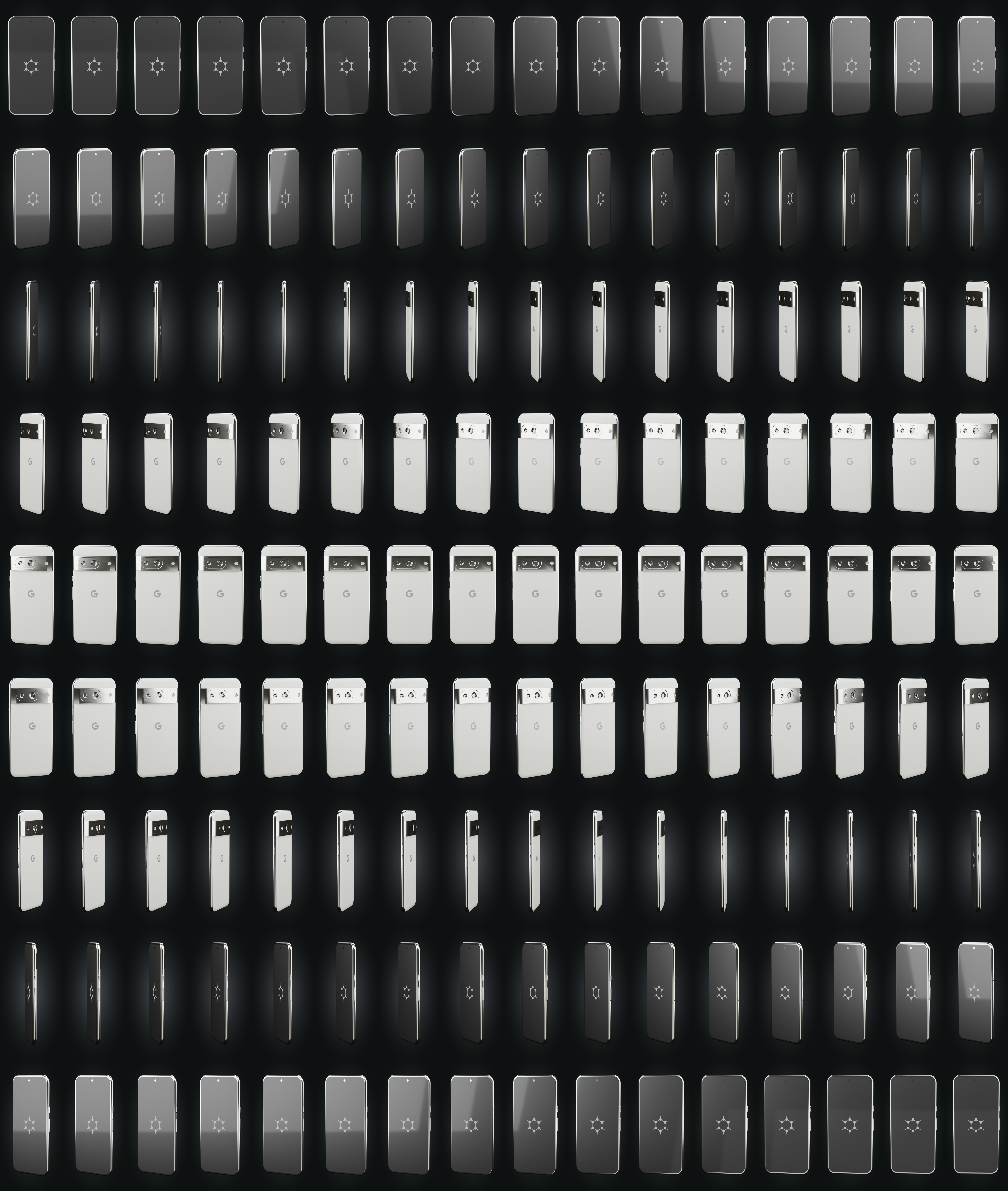
glisser pour tourner
Capabilities
Boot & firmware
Verified bootstock (upstream)
The bootloader is re-locked under GrapheneOS keys: the device refuses to boot a tampered system. Provided by GrapheneOS + Titan M2, re-locked at the workshop.
SourceSecure elementstock (upstream)
Titan M2
Dedicated chip that stores keys and throttles PIN attempts (Titan M2 on Pixel, dTPM on some ThinkPads).
SourceGuaranteed updatesstock (upstream)
≥ May 2031
Security-update window documented by the manufacturer. Shown only when it is guaranteed.
SourceSystem & data
No Google by defaultstock (upstream)
No Google service required. Play Services, if you want them, run sandboxed without privileges.
SourceHardware memory taggingstock (upstream)
ARM MTE + hardened_malloc catch many memory-corruption bugs as they happen (Tensor G3/G4/G5).
SourceEncrypted at reststock (upstream)
FBE
Data is encrypted while the device is locked (FBE on phones, LUKS applied at the workshop on laptops).
SourcePer-app sensors/networkstock (upstream)
GrapheneOS toggles network, sensors, storage and contacts per app (Network/Sensors toggles, Storage/Contact Scopes).
SourceTheft & coercion
Duress PIN → wipeonsecret workshop
A duress PIN triggers an irreversible wipe. A last resort: it destroys, it does not protect you from being forced to enter the real code. GrapheneOS function, armed with you at handover.
SourceAuto-reboot (18 h)onsecret workshop
18 h
The device reboots after inactivity and returns to the 'before first unlock' state, far more resistant to extraction. Interval set at the workshop.
SourceLocked = charge-only USBonsecret workshop
When the screen is locked, the USB port carries power only — data is cut off.
SourceWorkshop & support
Installed, verified at the workshoponsecret workshop
We flash, verify integrity and re-lock every unit. For USB keys we provide the signature-verification procedure — don't take our word for it.
Provisioned, ready to useonsecret workshop
Baseline apps installed, permissions and battery exemptions set: RustDesk, FMD, ntfy, F-Droid, SimpleX, Aegis, OpenKeychain, Organic Maps (+ built-in Vanadium).
Support — attended onlyonsecret workshop
Our RustDesk fork (server and key baked in), self-hosted relay. Always initiated by you: you open the app and read us the ID + a one-time password. No MDM, no permanent access, revocable.
Locate / wipe remotelyonsecret workshop
Self-hosted FMD (fmd.onsecret.net), no Google. Best-effort: a device that is off or offline cannot be wiped immediately.
− Best-effort: no effect if the device is offline.
Push without Googleonsecret workshop
ntfy UnifiedPush (push.onsecret.net, deny-all), one credential and token per device — no FCM dependency.
Encrypted support channelonsecret workshop
SimpleX preconfigured: our SMP server added, a 1-1 with the support bot and the clients group wired up in advance.
Faraday packoption
+35 €
A Faraday sleeve added as an option — the same one we sell on its own for €79.
● stock (upstream)◆ onsecret workshop○ option— absent
What this does not protect against
- Does not protect the cellular baseband from network-side attacks. The modem runs proprietary firmware; GrapheneOS isolates it via IOMMU but cannot audit or replace it. Cellular protocols leak location and metadata to the carrier.
- Does not defend against physical extraction by a well-resourced adversary holding the device while powered on and unlocked, nor against future undisclosed hardware exploits of the Tensor G3 / Titan M2.
- Does not make you anonymous. Your IMEI, SIM/eSIM, IP, app accounts, and network behavior remain identifying. GrapheneOS hardens the OS; it does not anonymize traffic (use Tor/Orbot separately) or hide that you are a phone user.
- Does not protect against coercion. Anyone who can compel you to unlock the device gains access. The duress PIN mitigates seizure but is a destructive last resort, not protection against being forced to enter your real PIN.
- Does not eliminate trust in Google hardware. The SoC, firmware, and secure element are made by Google/Samsung; GrapheneOS reduces but does not remove dependence on that supply chain.
- Does not stop malware or phishing inside apps you install and grant permissions to, including sandboxed Google Play and the apps it serves.
What the workshop does to this device
Our pipeline
- GrapheneOS reflash, bootloader re-locked under GrapheneOS keys, integrity verified.
- Baseline apps installed, permissions and battery exemptions set (RustDesk, FMD, ntfy, F-Droid, SimpleX, Aegis, OpenKeychain, Organic Maps; built-in Vanadium).
- USB protection: data cut off while the device is locked.
- Tokens minted per device on our infrastructure (deny-all notifications, locate/wipe enrolment, pinned relay key).
- RustDesk preconfigured — our build, server and key baked in: zero setup for you.
- Guided hardening with you at handover: 6+ word diceware passphrase, duress PIN, auto-reboot (18 h), SimpleX channel wired to support.
- Customer sheet handed over; encrypted inventory kept at the workshop.
What you can ask us
- Support session: you open RustDesk and read us the ID + one-time password. Never the other way round.
- Emergency locate / wipe: on your authenticated request, via our self-hosted FMD (best-effort).
- Questions: preconfigured SimpleX, or Signal / PGP / anonymous ticket.
- Revocation: anytime — we remove the peer and the tokens.
- Re-provisioning after a factory reset.
What we do not do
- No access without you: no Device-Owner, no MDM, no persistent agent. The client code is our fork, published.
- We see neither your browsing, nor your messages, nor your traffic. The relay is self-hosted and end-to-end encrypted.
- Remote wipe is not a guarantee: a device seized and taken offline is protected only by its encryption and your code.
- We cannot recover a lost passphrase. That is by design.
Choose within the range
| Pixel 8a — GrapheneOSHERE« Compact & sober »€833 Monero€1,190 card | Pixel 9 Pro — GrapheneOS« The balanced one »€1,253 Monero€1,790 card | Pixel 10 Pro — GrapheneOS« The newest »€1,575 Monero€2,250 card | |
|---|---|---|---|
| Differences | |||
| Secure element | Titan M2 | Titan | Titan M2 + StrongBox |
| Guaranteed updates | ≥ May 2031 | ≥ 2031 | ≥ 2032 |
Same protections across the whole range. You choose the hardware and the update window, not the level of security.
Tight budget or small size → 8a. Camera, screen and RAM → 9 Pro. Longest update window → 10 Pro.
What it is
What this is
A Google Pixel 8a handset, refurbished and reflashed with GrapheneOS, a security- and privacy-hardened mobile OS based on the Android Open Source Project. The bootloader is re-locked under GrapheneOS signing keys, so verified boot is active and the device is delivered in the same state a careful self-installer would reach.
The Pixel 8a is on the official GrapheneOS device list. The 8th-generation Pixels expose ARM's hardware memory tagging (MTE), which GrapheneOS uses by default to make whole classes of memory-corruption exploits fail fast. Combined with the hardened_malloc allocator, hardware-backed verified boot with rollback protection, the Titan M2 secure element, and an IOMMU-isolated baseband, this is a defensible baseline against remote and opportunistic attackers.
Honest positioning
GrapheneOS raises the cost of compromising the OS. It does not change the laws of physics or radio. The baseband still talks to the carrier over protocols you cannot trust, your SIM and IMEI still identify you, and a determined adversary with physical possession of an unlocked phone still wins. This product is for buyers who understand their threat model and want a clean, attested, hardened Android they can run sandboxed Google Play on only if and when they choose.
This is lawful privacy hardening. It is not a tool for evading lawful interception, and nothing here defeats a court-ordered, on-device search of a phone you have been compelled to unlock.
Usage guide
Before you start
The device ships already running GrapheneOS with the bootloader re-locked. You do not need to reflash it to use it. This guide covers verifying that state, daily use, hardening, and re-installing from scratch if you ever want to.
Verify integrity first
Do this before trusting the device.
- Check the boot state. Power off, then hold Volume Down while powering on to reach the bootloader. A locked bootloader with GrapheneOS keys shows a yellow boot warning with a key fingerprint. Compare that fingerprint against the official values on the GrapheneOS install page.
- Run hardware attestation. Install the Auditor app (bundled with GrapheneOS) and run a local self-attestation, or pair with a second Android device for remote attestation. Auditor uses the Titan M2 hardware key to prove the OS is genuine GrapheneOS and the bootloader is locked. This is the strongest check available.
If the boot state is not yellow/locked, or attestation fails, stop and reflash from scratch (see below).
First-boot setup
- Set a strong PIN or passphrase (6+ digits minimum; a passphrase is much stronger). This is the root of disk encryption.
- Decide whether you need Google services at all. If you do, install sandboxed Google Play — ideally in a separate user profile so it never touches your main profile. It runs as a normal unprivileged app with no special access.
- Use the built-in Vanadium browser for the hardened default; add F-Droid or Aurora Store for apps only as needed.
Daily use and hardening
Exploit-protection settings
- USB-C port control (Settings → Security → Exploit protection): the default *Charging-only when locked* blocks data over USB while locked, cutting a major physical attack surface. Set it stricter if you never need USB data.
- Auto-reboot timer: by default the phone reboots after a period of inactivity, returning it to the more secure Before-First-Unlock state where keys are not in memory. Keep it short if you are concerned about seizure.
- Per-app Network and Sensors permissions: deny network to apps that have no business phoning home; deny sensors to apps that should not read the gyroscope/accelerometer.
Scopes instead of blanket permissions
- Storage Scopes and Contact Scopes let an app believe it has full access while you actually grant nothing or a curated subset. Prefer these over granting real Contacts/Storage permissions. See the usage guide.
Duress PIN (use with care)
Settings → Security & privacy → Device unlock → Duress password sets an alternate code that triggers an immediate, irreversible factory wipe of all profiles and encryption keys. Understand that this is destructive and unrecoverable. It mitigates device seizure; it does not protect you if you are compelled to enter your real PIN. Know the law in your jurisdiction before relying on it.
Network and metadata hygiene
- The baseband and SIM identify you to the carrier regardless of the OS. For network-level privacy, route traffic through Tor via Orbot or a trusted VPN — GrapheneOS does not do this for you.
- Per-connection MAC randomization is on by default for Wi-Fi; keep it on.
- Treat SMS and voice calls as unencrypted. Use end-to-end encrypted messaging (e.g. Signal) for anything sensitive.
Updating
GrapheneOS updates over the air automatically. Keep Automatic reboot enabled so security updates fully apply. Vendor firmware/security support for the Pixel 8a runs through May 2031; after that, the hardware no longer receives Google firmware patches and you should plan to migrate.
Reflashing from scratch
If you want to reinstall yourself, follow the official web installer: enable OEM unlocking, unlock the bootloader (wipes data), flash via a WebUSB-capable browser (Chromium/Vanadium/Chrome, not the Snap/Flatpak builds), then re-lock the bootloader — locking is what enables verified boot with your keys. Verify with Auditor afterward.
Specifications
| Device | Google Pixel 8a, codename "akita" (model varies by region: G6GPR / GKV4X / G8HHN / G576D) |
|---|---|
| Storage | 128 GB UFS 3.1 (fixed, non-expandable) |
| RAM | 8 GB LPDDR5X |
| SoC | Google Tensor G3 (Samsung 4 nm), with Titan M2 secure element |
| Display | 6.1" OLED, 1080x2400, up to 120 Hz |
| Battery | 4492 mAh, up to ~18 W wired charging |
| OS | GrapheneOS (current release), reflashed; bootloader re-locked with GrapheneOS keys |
| Hardware security | ARM MTE (memory tagging), hardened_malloc, IOMMU-isolated baseband, hardware-backed Weaver |
| Vendor update window | Google guarantees firmware/security updates for the Pixel 8a through May 2031 |
After purchase
Your device arrives already prepared — this guide is for redoing everything yourself or checking our work.
Open the full guide
Avant de commencer
L'appareil est livre deja sous GrapheneOS, bootloader reverrouille. Vous n'avez pas besoin de le reflasher pour l'utiliser. Ce guide couvre la verification de cet etat, l'usage quotidien, le durcissement, et la reinstallation complete si vous le souhaitez un jour.
Verifiez d'abord l'integrite
Faites-le avant de faire confiance a l'appareil.
- Verifiez l'etat de demarrage. Eteignez, puis maintenez Volume Bas en allumant pour atteindre le bootloader. Un bootloader verrouille avec les cles GrapheneOS affiche un avertissement de demarrage jaune avec une empreinte de cle. Comparez cette empreinte aux valeurs officielles sur la page d'installation GrapheneOS.
- Lancez l'attestation materielle. Installez l'application Auditor (fournie avec GrapheneOS) et effectuez une auto-attestation locale, ou jumelez avec un second appareil Android pour une attestation distante. Auditor utilise la cle materielle Titan M2 pour prouver que l'OS est bien GrapheneOS et que le bootloader est verrouille. C'est le controle le plus solide disponible.
Si l'etat de demarrage n'est pas jaune/verrouille, ou si l'attestation echoue, arretez-vous et reflashez de zero (voir plus bas).
Configuration au premier demarrage
- Definissez un code PIN ou une phrase de passe robuste (6 chiffres minimum ; une phrase de passe est bien plus solide). C'est la racine du chiffrement du disque.
- Decidez si vous avez besoin des services Google. Si oui, installez Google Play en bac a sable — idealement dans un profil utilisateur separe pour qu'il ne touche jamais votre profil principal. Il s'execute comme une appli ordinaire non privilegiee, sans acces special.
- Utilisez le navigateur integre Vanadium pour un defaut durci ; ajoutez F-Droid ou Aurora Store pour les applications seulement au besoin.
Usage quotidien et durcissement
Reglages de protection contre les exploits
- Controle du port USB-C (Parametres → Securite → Protection contre les exploits) : le defaut *Charge uniquement lorsque verrouille* bloque les donnees via USB lorsque l'appareil est verrouille, reduisant une surface d'attaque physique majeure. Reglez-le plus strictement si vous n'avez jamais besoin de donnees via USB.
- Minuteur de redemarrage automatique : par defaut le telephone redemarre apres une periode d'inactivite, le ramenant a l'etat plus securise Avant-Premier-Deverrouillage ou les cles ne sont pas en memoire. Gardez-le court si la saisie de l'appareil vous preoccupe.
- Permissions Reseau et Capteurs par application : refusez le reseau aux applis qui n'ont aucune raison d'appeler chez elles ; refusez les capteurs aux applis qui ne devraient pas lire le gyroscope/accelerometre.
Des scopes plutot que des permissions globales
- Storage Scopes et Contact Scopes permettent a une appli de croire qu'elle a un acces complet alors que vous n'accordez rien ou un sous-ensemble choisi. Preferez-les a l'octroi de vraies permissions Contacts/Stockage. Voir le guide d'utilisation.
Code de contrainte (a manier avec precaution)
Parametres → Securite et confidentialite → Deverrouillage de l'appareil → Mot de passe de contrainte definit un code alternatif qui declenche un effacement d'usine immediat et irreversible de tous les profils et des cles de chiffrement. Sachez que c'est destructif et irrecuperable. Il attenue la saisie de l'appareil ; il ne vous protege pas si l'on vous contraint a saisir votre vrai code. Renseignez-vous sur la loi de votre juridiction avant de vous y fier.
Hygiene reseau et metadonnees
- Le baseband et la SIM vous identifient aupres de l'operateur quel que soit l'OS. Pour une confidentialite au niveau reseau, faites passer le trafic par Tor via Orbot ou un VPN de confiance — GrapheneOS ne le fait pas a votre place.
- La randomisation MAC par connexion est active par defaut en Wi-Fi ; gardez-la.
- Considerez les SMS et les appels vocaux comme non chiffres. Utilisez une messagerie chiffree de bout en bout (par ex. Signal) pour tout ce qui est sensible.
Mises a jour
GrapheneOS se met a jour a distance automatiquement. Gardez le redemarrage automatique active pour que les mises a jour de securite s'appliquent pleinement. Le support firmware/securite constructeur du Pixel 8a court jusqu'en mai 2031 ; au-dela, le materiel ne recoit plus les correctifs firmware de Google et il faudra prevoir une migration.
Reflasher de zero
Si vous voulez reinstaller vous-meme, suivez l'installateur web officiel : activez le deverrouillage OEM, deverrouillez le bootloader (efface les donnees), flashez via un navigateur compatible WebUSB (Chromium/Vanadium/Chrome, pas les builds Snap/Flatpak), puis reverrouillez le bootloader — c'est le verrouillage qui active le demarrage verifie avec vos cles. Verifiez ensuite avec Auditor.
Verifiable sources
- GrapheneOS — site officiel et apercu des fonctionnalites Verified on: 15 June 2026
- GrapheneOS — guide d'installation web (flash et reverrouillage) Verified on: 15 June 2026
- GrapheneOS — FAQ (appareils supportes, isolation baseband, MTE) Verified on: 15 June 2026
- GrapheneOS — guide d'utilisation (controle USB, scopes, Play sandbox) Verified on: 15 June 2026
- GrapheneOS Auditor — application d'attestation materielle et verification Verified on: 15 June 2026
- Forum de discussion GrapheneOS (communaute) Verified on: 15 June 2026
- Orbot — Tor pour Android (faire passer le trafic par Tor) Verified on: 15 June 2026