Capabilities
System & data
Encrypted at restabsent
Data is encrypted while the device is locked (FBE on phones, LUKS applied at the workshop on laptops).
− Neither secure element nor storage encryption.
SourceRadio & network
IMEI rotation on SIM swaponsecret workshop
The ekaii fork of blue-merle changes the IMEI on every SIM swap. Changing an IMEI is restricted or illegal in some jurisdictions.
− Experimental — behaviour not guaranteed.
SourceMAC randomization · OUI mimicryonsecret workshop
MAC/BSSID addresses are randomized while mimicking common vendor prefixes (fork PR#74).
− Experimental — behaviour not guaranteed.
SourceLogs in tmpfsonsecret workshop
Client logs live in tmpfs and are wiped at shutdown — nothing persists to flash.
− Experimental — behaviour not guaranteed.
SourceBuilt-in VPN & Torstock (upstream)
WireGuard/OpenVPN · Tor
The GL.iNet firmware ships WireGuard/OpenVPN and a Tor mode for all router traffic.
SourceIMSI-catcher detectionabsent
Heuristic IMSI-catcher detection. Not claimed until verified in our fork.
Workshop & support
Installed, verified at the workshoponsecret workshop
We flash, verify integrity and re-lock every unit. For USB keys we provide the signature-verification procedure — don't take our word for it.
− Experimental in-house port.
● stock (upstream)◆ onsecret workshop○ option— absent
What this does not protect against
- Does not make you anonymous to your mobile operator: your SIM's IMSI, the cell towers you connect to, and call/data records remain visible to the carrier and to lawful interception.
- Does not protect the baseband: IMEI randomization changes the device-reported identifier only. The Qualcomm modem firmware is closed and could be exploited or could ignore/override identifier changes; the E5800's baseband differs from the Quectel modems blue-merle was written for, so behavior is not guaranteed.
- Does not defend against physical seizure, theft, or coercion: an attacker with the device in hand can read its storage, force-unlock it, or compel you to operate it.
- Not a Tor or VPN replacement: it does nothing to your IP-layer traffic. Your destination servers, DNS, and any VPN/Tor exit you choose still see what they normally see.
- IMSI-catcher detection is heuristic, not a guarantee: it can flag suspicious cell behavior but cannot reliably distinguish every fake base station, and cannot block one.
- Changing an IMEI is illegal in some jurisdictions: enabling these features may breach local law or your carrier contract — that is your responsibility, not the device's.
What the workshop does to this device
Our pipeline
- Flash of our maintained ekaii fork of blue-merle (V2nodep build — luci-base dependency removed).
- SMS spool wipe: GL's smstools writes IMEI/IMSI into the header of every received SMS — we purge them.
- Non-destructive check of the SIM-swap flow before shipping.
What you can ask us
- Fork updates on request.
- Flashing help if you go back to stock firmware.
- Support: SimpleX / Signal / PGP.
What we do not do
- No remote access to the router: no agent installed, nothing to revoke.
- No guarantee on the IMSI or carrier side.
- No legal advice on IMEI changing — compliance is on you.
Choose within the range
| GL.iNet Mudi — untouched« Intact — flash it yourself »€350 Monero€500 card | GL.iNet Mudi V2 — blue-merle (ekaii)« Workshop-patched — supported build »€483 Monero€690 card | GL.iNet Mudi 7 — blue-merle (ported)HERE« 5G & Wi-Fi 7 — experimental »€553 Monero€790 card | |
|---|---|---|---|
| Differences | |||
| IMEI rotation on SIM swap | *exp. | ||
| MAC randomization · OUI mimicry | *exp. | ||
| Logs in tmpfs | *exp. | ||
| IMSI-catcher detection | |||
| Installed, verified at the workshop | *exp. |
The intact model costs less because nothing is added — it is yours to flash.
Do it all yourself → stock. Proven blue-merle behaviour → V2. 5G / Wi-Fi 7 and fine with experimental → Mudi 7.
What it is
What it is
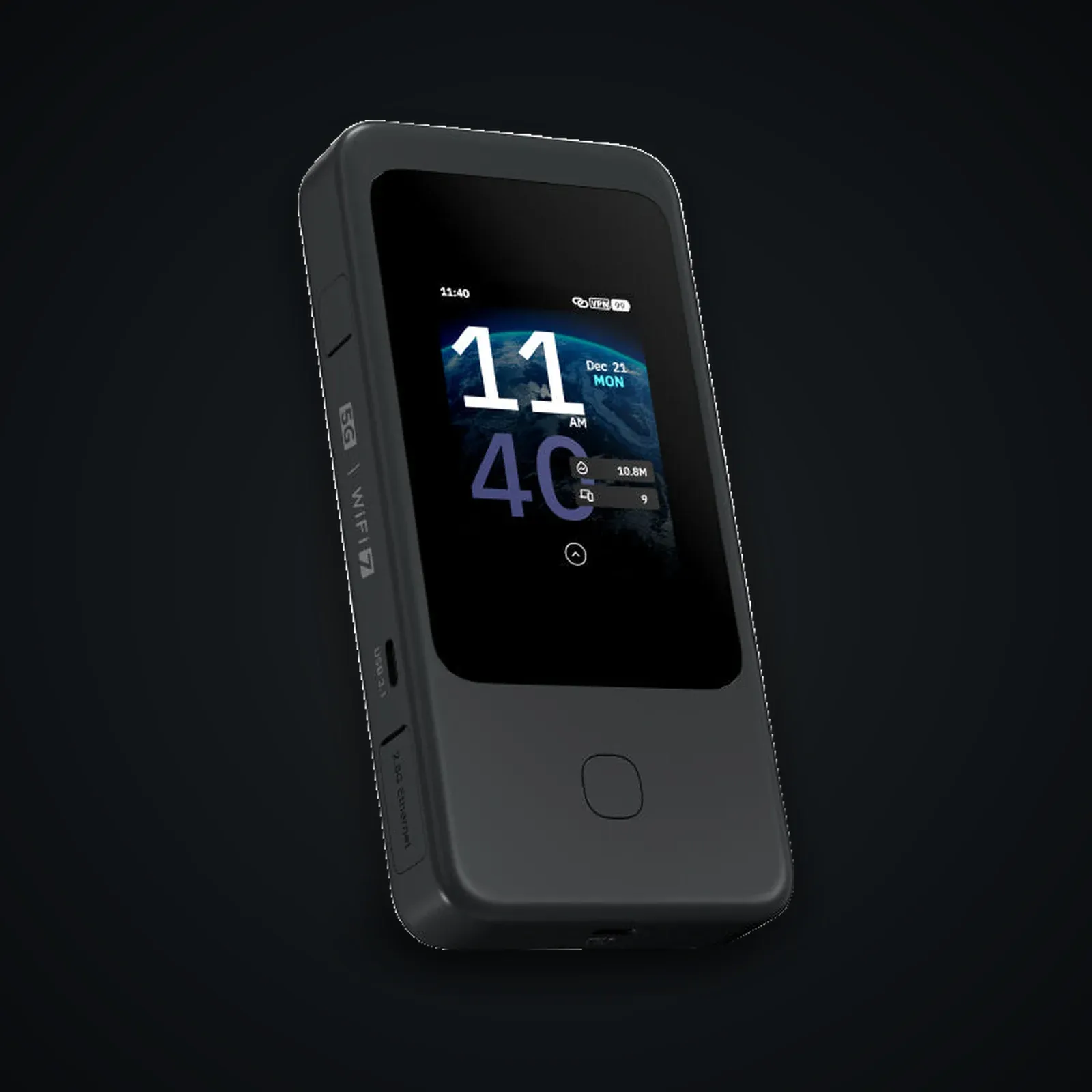
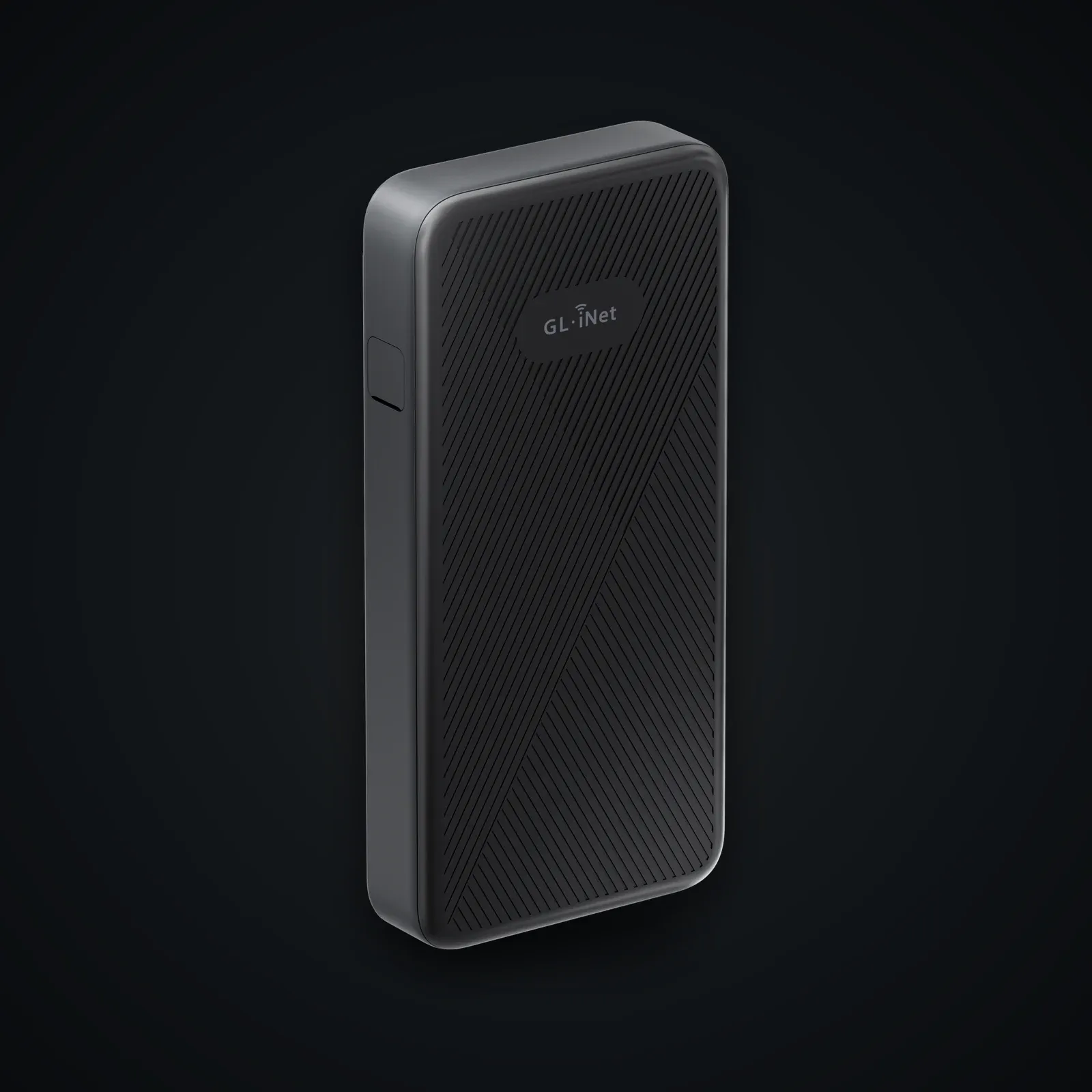
The Mudi 7 (GL-E5800) is GL.iNet's pocket 5G / Wi-Fi 7 travel router: a Qualcomm Dragonwing-based device with 2 GB RAM, 8 GB eMMC, dual nano-SIM plus onboard eSIM, a 2.8" touchscreen, and a removable 5380 mAh battery, running a GL.iNet fork of OpenWrt 22.03. We ship it with our community port of blue-merle, the SRLabs anti-tracking package originally written for the older GL-E750 Mudi.
Honest positioning
blue-merle reduces *forensic traceability*. On a deliberate SIM swap it randomizes the device-reported IMEI and the Wi-Fi/WAN MAC addresses, and it wipes locally cached client MAC logs, so a new SIM is not trivially linked to the previous device fingerprint. It also includes a heuristic IMSI-catcher (fake base station) ping. That is the whole of what it does. It is not anonymity, it is not a VPN, and it does not hide you from your carrier or from lawful interception.
Important: this is an experimental port
Upstream blue-merle officially supports only the GL-E750 and GL-E750 V2, which use Quectel modems that accept `AT+EGMR` IMEI commands. The Mudi 7 uses a different Qualcomm Dragonwing baseband, so the IMEI-rewrite path is reimplemented and not upstream-verified. SRLabs describe blue-merle as "a research project"; on this hardware that caveat is stronger. If you need a build that matches the documented, audited upstream, choose a GL-E750 V2 instead.
Lawful use only
This is privacy hardware for threat-model-aware buyers practising lawful privacy. As SRLabs state, "depending on your jurisdiction, changing your IMEI might violate local regulation or law." Understand your local rules before enabling IMEI randomization.
Usage guide
Before you start
This guide covers our experimental blue-merle port on the Mudi 7 (GL-E5800). Read the upstream blue-merle README and the Systemli install how-to first — the concepts transfer even though that hardware is the GL-E750.
> Legality first. SRLabs warn: "Depending on your jurisdiction, changing your IMEI might violate local regulation or law." In several countries altering an IMEI is a criminal offence, and it may breach your carrier contract. Confirm what is lawful where you are before enabling IMEI randomization. This shop does not endorse evading lawful interception.
Verify the device first
- Buy or receive the router, then power it on with no SIM inserted.
- Reach the LuCI / GL admin UI at `192.168.8.1` over the device's own Wi-Fi (not over the internet).
- Confirm the model string reads `GL-E5800` and note the stock firmware (GL.iNet OpenWrt 22.03 fork, Linux 5.15).
- If you flash firmware, download it only from GL.iNet's official download page and check the published checksum before flashing.
Installing the blue-merle port
blue-merle is designed to be installed offline, so the privacy package is active before the device ever touches a network.
- Transfer the provided `.ipk` bundle to the router over USB or SCP (do this on a trusted LAN).
- SSH in: `ssh root@192.168.8.1`.
- Install offline with `opkg install --offline-root` against the bundled packages (the build includes its dependencies so you do not need to fetch from the internet).
- Reboot. Confirm the package is present with `opkg list-installed | grep blue-merle`.
Because this is a port, also confirm the IMEI-write path actually works on your unit (see verification below) before relying on it.
Daily use
Swapping SIM and rotating identifiers
The intended workflow ties identifier rotation to a SIM swap:
- Initiate the swap from the LuCI web page, the CLI, or the hardware toggle. blue-merle disables the radio first, then generates a new IMEI.
- Choose your IMEI mode:
- Deterministic — derived from the SIM's IMSI, so the same SIM always yields the same IMEI.
- Random — a fresh random IMEI each time.
- Power off, physically change the SIM, and — per upstream advice — change physical location before booting again, since the previous cell already saw the old pairing.
MAC and log hygiene
blue-merle randomizes the Wi-Fi BSSID and WAN MAC on each boot and keeps the client-MAC database in RAM only (tmpfs), so it does not persist across reboots. Note that a randomized WAN MAC can break upstream networks that use MAC filtering in repeater mode.
IMSI-catcher ping
Use the IMSI-catcher detection as an *alert*, not a verdict. Treat a warning as a prompt to stop transmitting and move, not as proof — and remember it cannot block a catcher.
Hardening tips
- Run a VPN or Tor on top — blue-merle does nothing at the IP layer. Pair it with WireGuard/OpenVPN (built into the GL firmware) or Tor.
- Keep the radio off when you are not actively using it; the smallest RF footprint is no transmission.
- Disable cloud/remote management and any telemetry in the GL UI.
- Set a strong admin password and unique Wi-Fi credentials immediately.
Pitfalls
- It is a port. The Qualcomm baseband is not the Quectel one upstream targets; an IMEI change may silently fail or be overridden. Verify, do not assume.
- A deterministic IMEI is a stable identifier per SIM — convenient, but it links sessions on that SIM. Use random mode if that matters.
- Carriers and towers still log your IMSI and location regardless of IMEI.
How to verify integrity
- After a swap, query the modem's reported IMEI (via the modem AT interface / GL diagnostics) and confirm it changed and is a structurally valid IMEI.
- Check the WAN MAC with `ifconfig`/`ip link` before and after a reboot to confirm rotation.
- Re-run `opkg list-installed | grep blue-merle` after firmware updates — a GL.iNet OTA update can remove or break the package, so reinstall and re-verify each time.
Specifications
| Model | GL.iNet Mudi 7 (GL-E5800) |
|---|---|
| SoC / CPU | Qualcomm Dragonwing MBB Gen 3 (Snapdragon X72 platform), quad-core @ 2.2 GHz |
| RAM / storage | 2 GB LPDDR4X / 8 GB eMMC (fixed internal storage) |
| Cellular | 5G NR Sub-6 GHz, 3GPP Rel-17 NSA/SA, Cat 20 DL / Cat 18 UL (Qualcomm baseband, not Quectel) |
| Wi-Fi | Wi-Fi 7 tri-band BE5800 (688 / 2882 / 5764 Mbps), 320 MHz, 4K-QAM |
| SIM / eSIM | 2x nano-SIM + 1 onboard eSIM chipset (dual-SIM dual-standby) |
| Ports / battery | 1x 2.5 GbE, 2x USB-C (one 10 Gbps data/OTG); 5380 mAh / 20.72 Wh removable battery; 2.8" touchscreen |
| Stock firmware | GL.iNet fork of OpenWrt 22.03, Linux 5.15 |
| blue-merle build | Community port (our build), experimental — upstream srlabs/blue-merle officially supports only GL-E750 and GL-E750 V2 |
After purchase
Your device arrives already prepared — this guide is for redoing everything yourself or checking our work.
Open the full guide
Avant de commencer
Ce guide couvre notre portage expérimental de blue-merle sur le Mudi 7 (GL-E5800). Lisez d'abord le README amont de blue-merle et le tutoriel d'installation Systemli — les concepts se transposent même si ce matériel est le GL-E750.
> La légalité d'abord. SRLabs prévient : « Selon votre juridiction, changer votre IMEI peut enfreindre une réglementation ou une loi locale. » Dans plusieurs pays, modifier un IMEI est une infraction pénale, et cela peut enfreindre votre contrat opérateur. Vérifiez ce qui est légal chez vous avant d'activer la randomisation de l'IMEI. Cette boutique ne cautionne pas le contournement de l'interception légale.
Vérifiez d'abord l'appareil
- Achetez ou recevez le routeur, puis allumez-le sans SIM insérée.
- Accédez à l'interface LuCI / admin GL à `192.168.8.1` via le Wi-Fi propre de l'appareil (pas via internet).
- Confirmez que la chaîne de modèle indique `GL-E5800` et notez le firmware d'origine (fork GL.iNet OpenWrt 22.03, Linux 5.15).
- Si vous flashez un firmware, téléchargez-le uniquement depuis la page de téléchargement officielle GL.iNet et vérifiez la somme de contrôle publiée avant de flasher.
Installation du portage blue-merle
blue-merle est conçu pour s'installer hors ligne, afin que le paquet de confidentialité soit actif avant que l'appareil ne touche un réseau.
- Transférez le bundle `.ipk` fourni vers le routeur via USB ou SCP (faites-le sur un LAN de confiance).
- Connectez-vous en SSH : `ssh root@192.168.8.1`.
- Installez hors ligne avec `opkg install --offline-root` sur les paquets fournis (le build inclut ses dépendances, vous n'avez donc pas besoin de télécharger depuis internet).
- Redémarrez. Confirmez la présence du paquet avec `opkg list-installed | grep blue-merle`.
Comme il s'agit d'un portage, confirmez aussi que le chemin de réécriture de l'IMEI fonctionne réellement sur votre exemplaire (voir vérification ci-dessous) avant de vous y fier.
Usage quotidien
Changer de SIM et faire tourner les identifiants
Le flux prévu lie la rotation des identifiants à un changement de SIM :
- Lancez le changement depuis la page web LuCI, la CLI ou l'interrupteur matériel. blue-merle désactive d'abord la radio, puis génère un nouvel IMEI.
- Choisissez votre mode d'IMEI :
- Déterministe — dérivé de l'IMSI de la SIM, donc la même SIM donne toujours le même IMEI.
- Aléatoire — un nouvel IMEI aléatoire à chaque fois.
- Éteignez, changez physiquement la SIM et — selon l'avis amont — changez d'emplacement physique avant de redémarrer, puisque l'ancienne cellule a déjà vu l'ancien appairage.
Hygiène des MAC et des journaux
blue-merle randomise le BSSID Wi-Fi et la MAC WAN à chaque démarrage et conserve la base de MAC clients uniquement en RAM (tmpfs), donc elle ne persiste pas après redémarrage. Notez qu'une MAC WAN randomisée peut casser les réseaux amont qui utilisent un filtrage MAC en mode répéteur.
Ping IMSI-catcher
Utilisez la détection d'IMSI-catcher comme une *alerte*, pas un verdict. Traitez un avertissement comme une incitation à cesser d'émettre et à vous déplacer, pas comme une preuve — et rappelez-vous qu'il ne peut pas bloquer un catcher.
Conseils de durcissement
- Faites tourner un VPN ou Tor par-dessus — blue-merle n'agit pas sur la couche IP. Associez-le à WireGuard/OpenVPN (intégré au firmware GL) ou à Tor.
- Coupez la radio quand vous ne l'utilisez pas activement ; la plus petite empreinte RF, c'est l'absence d'émission.
- Désactivez la gestion cloud/à distance et toute télémétrie dans l'UI GL.
- Définissez immédiatement un mot de passe admin fort et des identifiants Wi-Fi uniques.
Pièges
- C'est un portage. Le baseband Qualcomm n'est pas le Quectel ciblé en amont ; un changement d'IMEI peut échouer silencieusement ou être écrasé. Vérifiez, ne supposez pas.
- Un IMEI déterministe est un identifiant stable par SIM — pratique, mais il lie les sessions de cette SIM. Utilisez le mode aléatoire si cela importe.
- Les opérateurs et antennes enregistrent toujours votre IMSI et votre localisation, quel que soit l'IMEI.
Comment vérifier l'intégrité
- Après un changement, interrogez l'IMEI déclaré par le modem (via l'interface AT du modem / diagnostics GL) et confirmez qu'il a changé et qu'il s'agit d'un IMEI structurellement valide.
- Vérifiez la MAC WAN avec `ifconfig`/`ip link` avant et après un redémarrage pour confirmer la rotation.
- Relancez `opkg list-installed | grep blue-merle` après les mises à jour du firmware — une mise à jour OTA GL.iNet peut supprimer ou casser le paquet, donc réinstallez et revérifiez à chaque fois.
Verifiable sources
- srlabs/blue-merle — paquet amont (source) Verified on: 15 June 2026
- README blue-merle — fonctions, modèles pris en charge, méthodes IMEI Verified on: 15 June 2026
- Blog SRLabs — blue-merle 2.0 et la mise en garde légale sur l'IMEI Verified on: 15 June 2026
- Wiki Systemli — installer blue-merle / randomiser l'IMEI sur Mudi Verified on: 15 June 2026
- Page produit officielle GL.iNet Mudi 7 (GL-E5800) Verified on: 15 June 2026
- Docs utilisateur GL.iNet GL-E5800 Verified on: 15 June 2026
- Téléchargements de firmware officiels GL.iNet Verified on: 15 June 2026
- Forum communautaire GL.iNet — fils blue-merle sur Mudi Verified on: 15 June 2026