Capabilities
System & data
Encrypted at restabsent
Data is encrypted while the device is locked (FBE on phones, LUKS applied at the workshop on laptops).
− Neither secure element nor storage encryption.
SourceRadio & network
IMEI rotation on SIM swapabsent
The ekaii fork of blue-merle changes the IMEI on every SIM swap. Changing an IMEI is restricted or illegal in some jurisdictions.
− Installable — see the patched Mudi V2.
SourceMAC randomization · OUI mimicryabsent
MAC/BSSID addresses are randomized while mimicking common vendor prefixes (fork PR#74).
SourceLogs in tmpfsabsent
Client logs live in tmpfs and are wiped at shutdown — nothing persists to flash.
SourceBuilt-in VPN & Torstock (upstream)
WireGuard/OpenVPN · Tor
The GL.iNet firmware ships WireGuard/OpenVPN and a Tor mode for all router traffic.
Source● stock (upstream)◆ onsecret workshop○ option— absent
What this does not protect against
- Does not protect against baseband/modem-level surveillance. The Quectel cellular modem is closed firmware on a separate processor; stock firmware does not randomize IMEI, and the network operator always sees your IMSI, IMEI, and approximate cell location.
- Stock firmware is not anonymity firmware. Out of the box it does not rotate MAC/BSSID, does not detect IMSI-catchers, and keeps persistent client logs — you must install the blue-merle package (or flash it yourself) to get those behaviours.
- Does not protect against physical seizure, theft, or coercion. Anyone with the device can read its config, keys, and microSD; there is no secure element and no full-disk encryption by default.
- Does not make you anonymous on the network. A VPN or Tor mode hides traffic content and your IP from the destination, but your SIM, account, payment method, and movement patterns can still identify and locate you.
- Vendor cloud and GoodCloud remote management are opt-in but present in stock firmware; if enabled they introduce a third party. Trust depends on you disabling features you do not want.
- Not a defence against a compromised host. Malware on a connected laptop or phone, or a malicious SIM applet, is outside the router's control.
What the workshop does to this device
Our pipeline
- Flash of our maintained ekaii fork of blue-merle (V2nodep build — luci-base dependency removed).
- SMS spool wipe: GL's smstools writes IMEI/IMSI into the header of every received SMS — we purge them.
- Non-destructive check of the SIM-swap flow before shipping.
What you can ask us
- Fork updates on request.
- Flashing help if you go back to stock firmware.
- Support: SimpleX / Signal / PGP.
What we do not do
- No remote access to the router: no agent installed, nothing to revoke.
- No guarantee on the IMSI or carrier side.
- No legal advice on IMEI changing — compliance is on you.
Choose within the range
| GL.iNet Mudi — untouchedHERE« Intact — flash it yourself »€350 Monero€500 card | GL.iNet Mudi V2 — blue-merle (ekaii)« Workshop-patched — supported build »€483 Monero€690 card | GL.iNet Mudi 7 — blue-merle (ported)« 5G & Wi-Fi 7 — experimental »€553 Monero€790 card | |
|---|---|---|---|
| Differences | |||
| IMEI rotation on SIM swap | *exp. | ||
| MAC randomization · OUI mimicry | *exp. | ||
| Logs in tmpfs | *exp. | ||
| IMSI-catcher detection | |||
| Installed, verified at the workshop | *exp. |
The intact model costs less because nothing is added — it is yours to flash.
Do it all yourself → stock. Proven blue-merle behaviour → V2. 5G / Wi-Fi 7 and fine with experimental → Mudi 7.
What it is
What this is
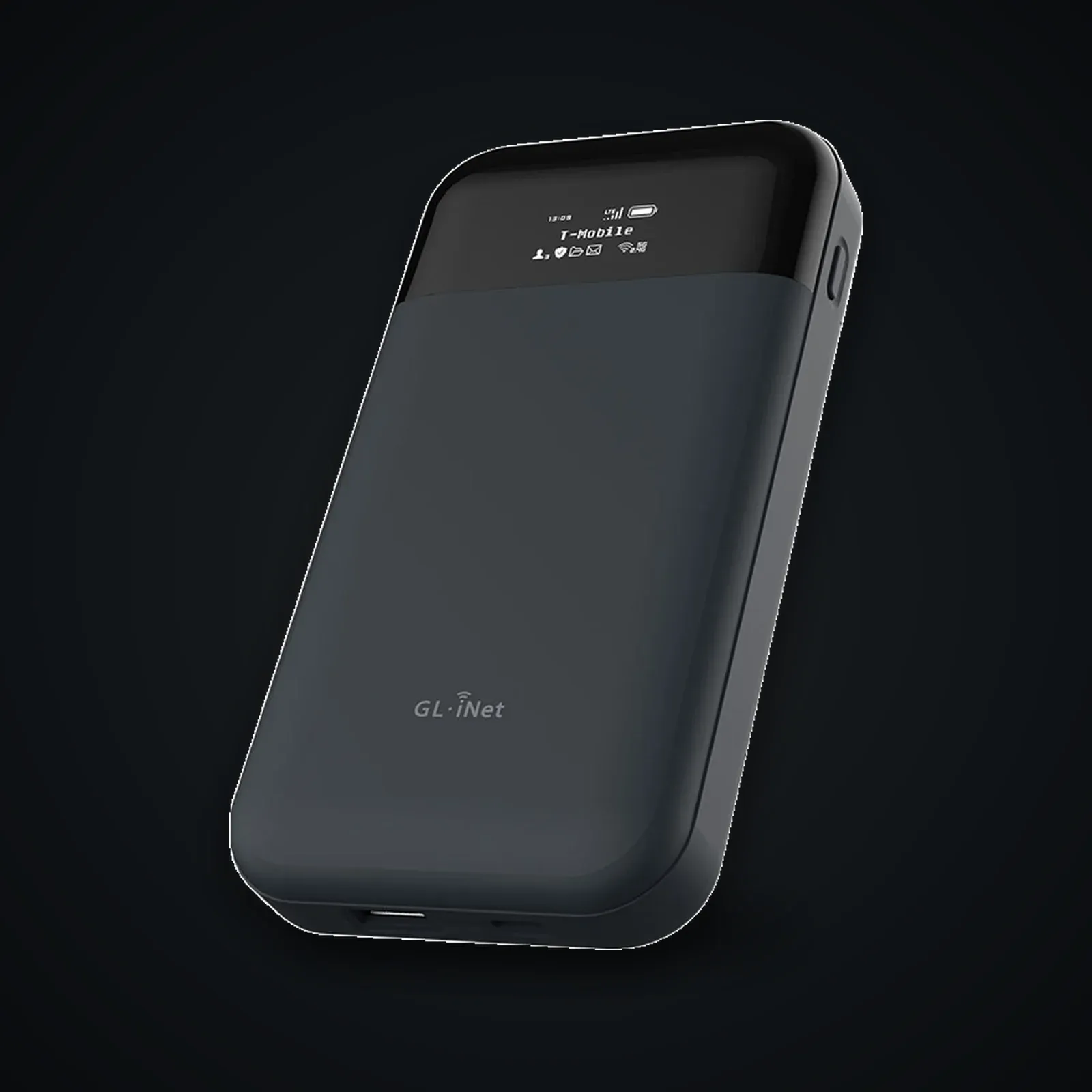
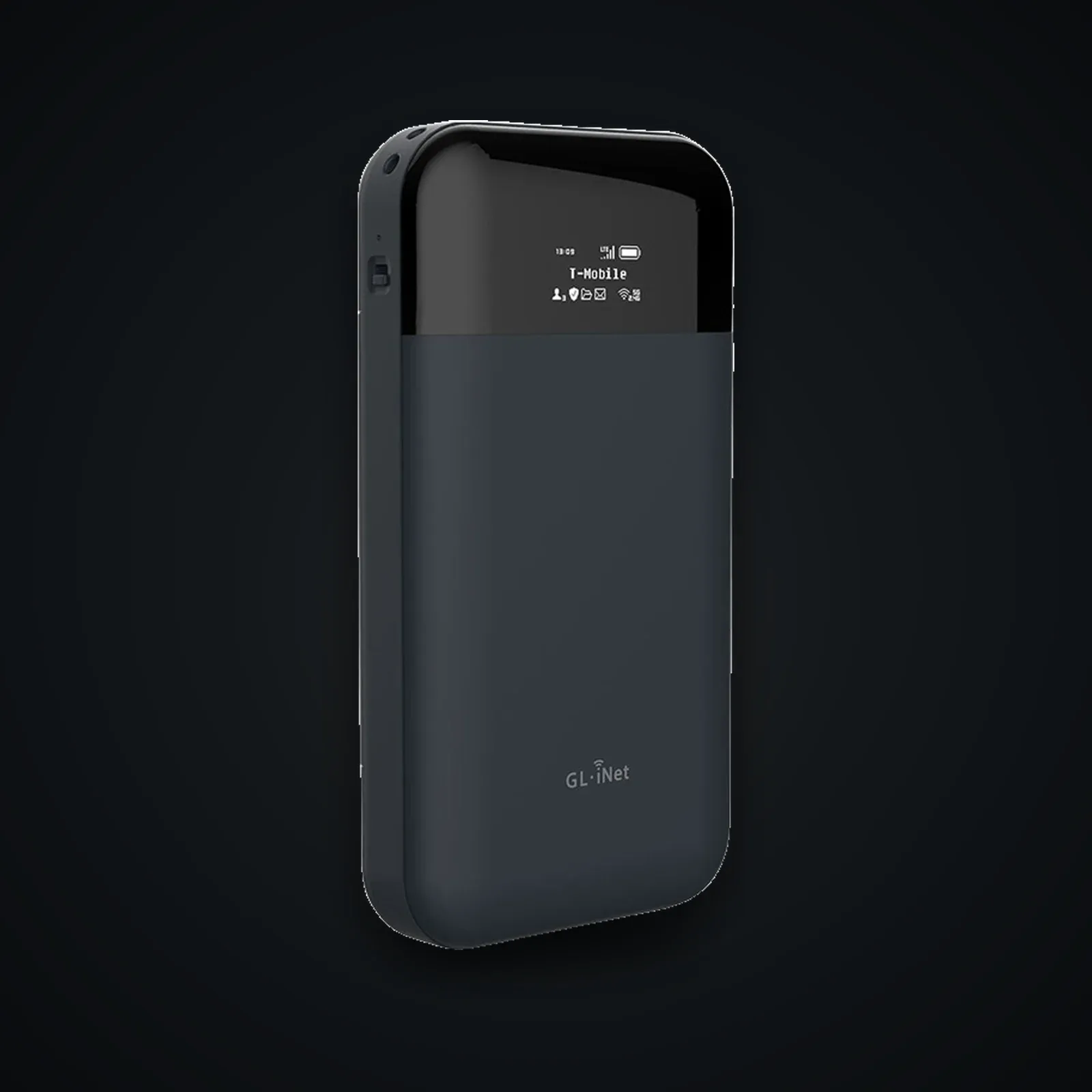
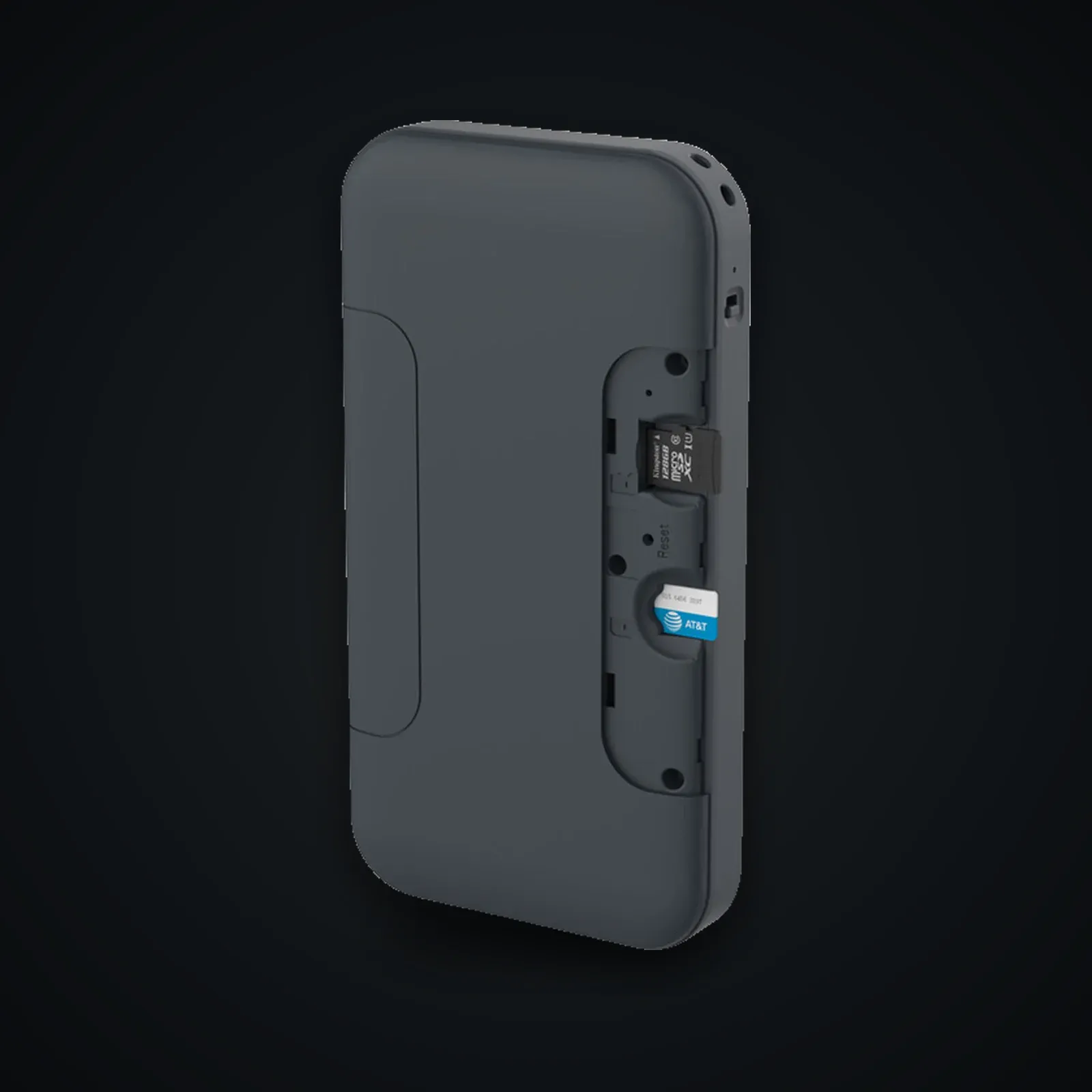
This is the GL.iNet Mudi V2 (GL-E750V2) shipped exactly as the vendor builds it: stock GL.iNet OpenWrt firmware, no patches, no pre-installed anonymity packages. It is a pocket 4G LTE router with a removable 7000 mAh battery, WireGuard and OpenVPN clients/servers, a one-toggle Tor mode, and a small e-ink-style OLED for status. The cellular side is a Quectel module (EM060K-G Cat6 or EM05-G Cat4 depending on SKU; the original GL-E750 used the EP06).
Who it's for
We sell it untouched on purpose. If you want a device you flash and audit yourself — installing blue-merle for IMEI/MAC randomization and IMSI-catcher ping detection, or replacing the GL firmware with mainline OpenWrt — starting from a known stock baseline is the honest way to do it. You verify the firmware, you control what runs.
Honest positioning
Out of the box this is a convenient, configurable travel router, not a privacy appliance. The VPN and Tor features protect traffic *content* and your destination IP; they do nothing about the cellular identifiers (IMSI/IMEI) your operator records, the cell towers you connect through, or the SIM you put in it. Real-world privacy here is the product of your operational choices — anonymous SIM, no vendor cloud, hardened config, and the add-on packages you choose to install — not of the hardware alone.
Usage guide
Stock Mudi V2: setup, hardening, and self-flashing
This guide covers using the GL-E750V2 on its stock GL.iNet firmware and, if you choose, flashing the blue-merle anti-tracking package yourself.
1. First boot and baseline
- Charge fully, power on, join the default Wi-Fi SSID (printed inside the back cover).
- Open the admin panel at `http://192.168.8.1`. Set a strong admin password immediately.
- Update to the latest stock firmware from the panel, or download it directly from GL.iNet downloads and verify the SHA256 before flashing.
- In Applications > Plug-ins, note the SoC is a QCA9531 with only 128 MB NAND — keep installed packages lean.
Verify integrity: compare the firmware file's SHA256 against the value published on the GL.iNet download page. On the device, `cat /etc/glversion` and `opkg list-installed` give you a baseline to diff later.
2. Day-to-day use
- SIM / cellular: insert your SIM, go to Internet > Cellular, set the APN. The status OLED shows signal and the active interface.
- VPN: under VPN > WireGuard Client import a config from your provider. Enable the kill switch (VPN > VPN Policy) so the WAN drops if the tunnel fails.
- Tor mode: Applications > Tor routes LAN traffic over Tor. Useful, but slow, and it does not anonymize the cellular layer — your operator still sees a SIM connecting to towers.
- Battery: the 7000 mAh pack is removable; carry a spare rather than leaving it charging in untrusted outlets.
3. Hardening the stock firmware
- Disable GoodCloud / remote management unless you specifically need it (More Settings > GoodCloud). It is a third party.
- Turn off the cloud-dependent and telemetry-adjacent features you will not use.
- Restrict admin access to the LAN; never expose the panel or SSH to the WAN.
- Set Wi-Fi to WPA2/WPA3, change the SSID off the default, and disable the guest network if unused.
- Enable SSH (System > Advanced > LuCI / SSH), then `ssh root@192.168.8.1` to audit running services with `netstat -tlnp`.
4. Flashing blue-merle yourself (optional)
Stock firmware does not randomize IMEI/MAC or detect IMSI-catchers. blue-merle adds that. From SSH:
``` opkg update
download the release .ipk matching your firmware from
https://github.com/srlabs/blue-merle/releases
opkg install /tmp/blue-merle_*.ipk ```
If installation complains about the MCU, update the MCU (≥ 1.0.7) from the GL panel and retry. A current step-by-step is on the Systemli wiki. Confirm support for your exact firmware version on the blue-merle README first — it tracks specific GL firmware ranges.
What it does: rotates Wi-Fi MAC/BSSID on boot, mounts client-connection logs in RAM (no persistent forensic trail), provides a guided SIM Swap flow that randomizes the IMEI between SIM changes, and pings for IMSI-catcher-like behaviour.
5. Legality of IMEI changes — read this
Changing the IMEI is regulated and in some jurisdictions illegal (for example, it is a criminal offence in the UK under the Mobile Telephones (Re-programming) Act 2002, and is restricted elsewhere). blue-merle is a research/privacy tool; you are responsible for knowing and following the law where you operate. Do not use it to evade lawful interception or to commit fraud. If IMEI modification is unlawful where you are, run blue-merle's MAC-randomization and log-wiping features without the IMEI step, or skip the package entirely.
6. Verifying integrity over time
- Re-run `opkg list-installed` and diff against your baseline to spot unexpected packages.
- Check `logread` for unexpected outbound connections.
- After any firmware update, re-verify the SHA256 and re-confirm blue-merle compatibility before reinstalling.
For mainline alternatives, the OpenWrt device page documents flashing community OpenWrt — useful if you want to drop the vendor build entirely. Note the cellular modem driver support and battery MCU handling differ from the GL build.
Specifications
| Model | GL.iNet GL-E750V2 (Mudi V2) |
|---|---|
| SoC | Qualcomm Atheros QCA9531 @ 650 MHz (MIPS 24Kc) |
| RAM | 128 MB DDR2 |
| Flash storage (fixed) | 16 MB NOR + 128 MB NAND (firmware/system); microSD up to 1 TB for user data |
| Cellular modem | Quectel EM060K-G (LTE Cat6) or EM05-G (Cat4), depending on SKU (V1 GL-E750 = EP06) |
| Wi-Fi | 802.11a/b/g/n/ac — 300 Mbps (2.4 GHz) + 433 Mbps (5 GHz), internal antennas |
| Battery | Removable 7000 mAh Li-Po; USB-C 5V/2A in |
| Firmware | GL.iNet OpenWrt 4.x (based on OpenWrt 22.03.4, kernel 5.10.x) — stock, unmodified |
| Dimensions / weight | 145 x 77.5 x 23.5 mm, 285 g |
After purchase
Your device arrives already prepared — this guide is for redoing everything yourself or checking our work.
Open the full guide
Mudi V2 d'origine : installation, durcissement et flash maison
Ce guide couvre l'usage du GL-E750V2 sur son firmware GL.iNet d'origine et, si vous le souhaitez, l'installation manuelle du paquet anti-traçage blue-merle.
1. Premier démarrage et base de référence
- Chargez complètement, allumez, rejoignez le SSID Wi-Fi par défaut (imprimé sous le cache arrière).
- Ouvrez le panneau d'administration sur `http://192.168.8.1`. Définissez immédiatement un mot de passe admin fort.
- Mettez à jour vers le dernier firmware d'origine depuis le panneau, ou téléchargez-le directement depuis GL.iNet downloads et vérifiez le SHA256 avant de flasher.
- Dans Applications > Plug-ins, gardez à l'esprit que le SoC est un QCA9531 avec seulement 128 Mo de NAND — limitez les paquets installés.
Vérifier l'intégrité : comparez le SHA256 du fichier firmware à la valeur publiée sur la page de téléchargement GL.iNet. Sur l'appareil, `cat /etc/glversion` et `opkg list-installed` fournissent une base à comparer plus tard.
2. Usage au quotidien
- SIM / cellulaire : insérez votre SIM, allez dans Internet > Cellular, réglez l'APN. L'écran OLED affiche le signal et l'interface active.
- VPN : sous VPN > WireGuard Client, importez une configuration de votre fournisseur. Activez le kill switch (VPN > VPN Policy) pour couper le WAN si le tunnel tombe.
- Mode Tor : Applications > Tor route le trafic LAN via Tor. Utile, mais lent, et il n'anonymise pas la couche cellulaire — votre opérateur voit toujours une SIM se connecter aux antennes.
- Batterie : la batterie 7000 mAh est amovible ; emportez-en une de rechange plutôt que de la laisser en charge sur des prises non fiables.
3. Durcir le firmware d'origine
- Désactivez GoodCloud / la gestion à distance sauf besoin précis (More Settings > GoodCloud). C'est un tiers.
- Désactivez les fonctions dépendantes du cloud et la télémétrie que vous n'utiliserez pas.
- Restreignez l'accès admin au LAN ; n'exposez jamais le panneau ni le SSH sur le WAN.
- Réglez le Wi-Fi en WPA2/WPA3, changez le SSID par défaut et désactivez le réseau invité s'il est inutile.
- Activez le SSH (System > Advanced > LuCI / SSH), puis `ssh root@192.168.8.1` pour auditer les services actifs avec `netstat -tlnp`.
4. Flasher blue-merle soi-même (optionnel)
Le firmware d'origine ne randomise pas l'IMEI/MAC et ne détecte pas les IMSI-catchers. blue-merle ajoute cela. En SSH :
``` opkg update
téléchargez le .ipk de la release correspondant à votre firmware depuis
https://github.com/srlabs/blue-merle/releases
opkg install /tmp/blue-merle_*.ipk ```
Si l'installation se plaint du MCU, mettez à jour le MCU (≥ 1.0.7) depuis le panneau GL et réessayez. Un pas-à-pas à jour figure sur le wiki Systemli. Vérifiez d'abord la prise en charge de votre version exacte de firmware sur le README de blue-merle — il suit des plages précises de firmware GL.
Ce qu'il fait : tourne les MAC/BSSID Wi-Fi au démarrage, monte les journaux de connexion clients en RAM (aucune trace forensique persistante), fournit un flux guidé SIM Swap qui randomise l'IMEI entre les changements de SIM, et détecte un comportement de type IMSI-catcher.
5. Légalité du changement d'IMEI — à lire
Changer l'IMEI est réglementé et, dans certaines juridictions, illégal (par exemple, c'est une infraction pénale au Royaume-Uni en vertu du Mobile Telephones (Re-programming) Act 2002, et c'est restreint ailleurs). blue-merle est un outil de recherche/confidentialité ; il vous incombe de connaître et de respecter la loi là où vous opérez. Ne l'utilisez pas pour échapper à une interception légale ni pour commettre une fraude. Si la modification de l'IMEI est illégale chez vous, utilisez les fonctions de randomisation MAC et d'effacement des journaux de blue-merle sans l'étape IMEI, ou n'installez pas le paquet.
6. Vérifier l'intégrité dans la durée
- Relancez `opkg list-installed` et comparez à votre base pour repérer des paquets inattendus.
- Inspectez `logread` à la recherche de connexions sortantes inattendues.
- Après toute mise à jour de firmware, re-vérifiez le SHA256 et reconfirmez la compatibilité de blue-merle avant de le réinstaller.
Pour les alternatives officielles, la page de l'appareil OpenWrt documente le flash d'OpenWrt communautaire — utile si vous voulez abandonner totalement la build constructeur. Notez que la prise en charge du pilote modem cellulaire et la gestion du MCU de batterie diffèrent de la build GL.
Verifiable sources
- GL.iNet Mudi V2 (GL-E750V2) — produit et spécifications Verified on: 15 June 2026
- Documentation officielle GL.iNet GL-E750/GL-E750V2 Verified on: 15 June 2026
- OpenWrt Table of Hardware — GL-E750 Verified on: 15 June 2026
- blue-merle (SRLabs) — paquet anti-traçage Verified on: 15 June 2026
- README blue-merle (matrice de compatibilité firmware) Verified on: 15 June 2026
- Wiki Systemli — installer blue-merle et randomiser l'IMEI sur le Mudi Verified on: 15 June 2026
- Téléchargements firmware GL.iNet (vérifier le SHA256) Verified on: 15 June 2026
- Forum communautaire GL.iNet — Mudi / cellulaire Verified on: 15 June 2026